PaySlip portal view
💵
PAYSLIP PORTAL VIEW
Implementation time
- From December 2025.
How to view PaySlip
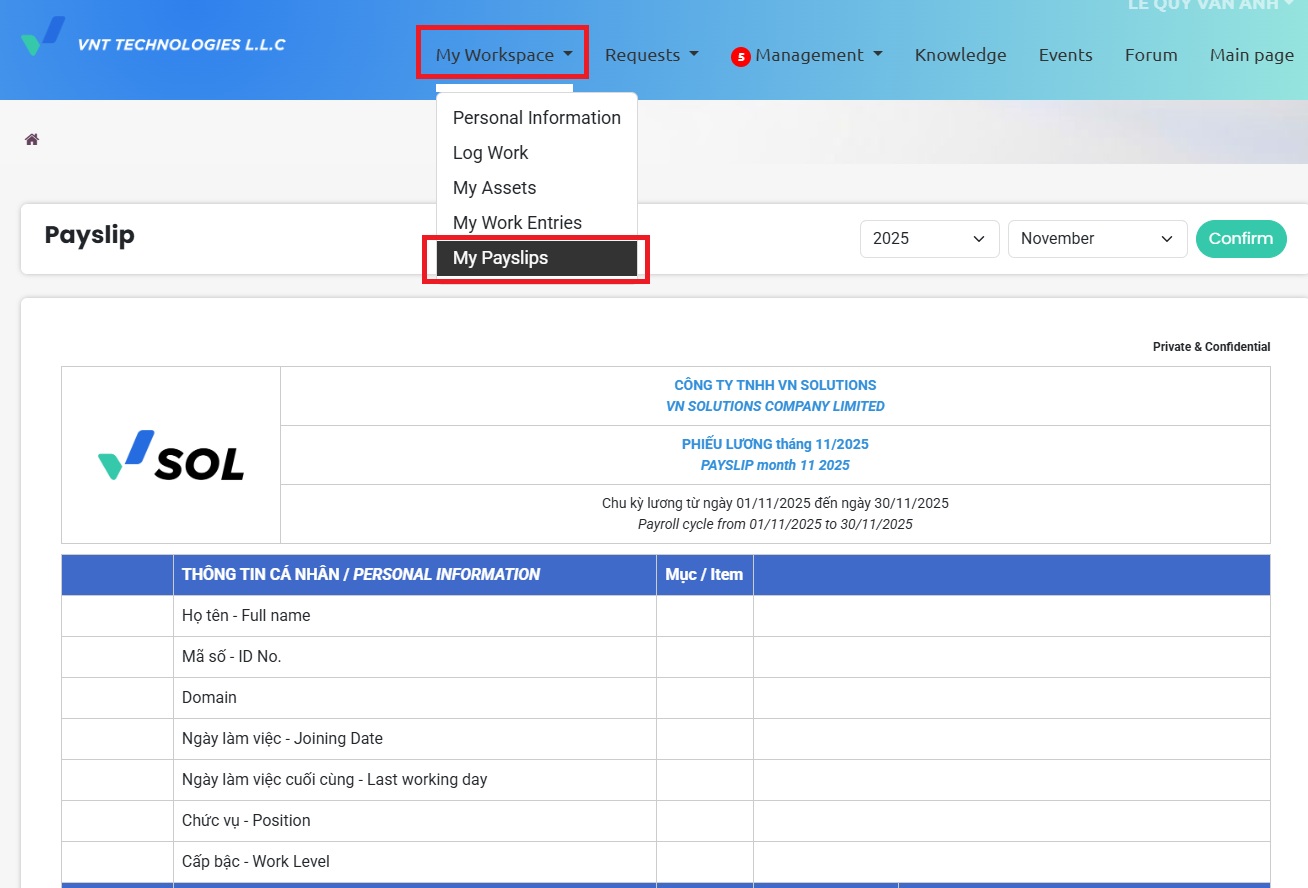
- Log in to Odoo using your personal account and navigate to My Workspace → My PaySlips.
- This screen displays detailed information on your payslip, including income, deductions, and net take-home.
When to view PaySlip
- Payslips are typically available around 4:00 PM on payday (between the 5th and 8th of each month).
Download Payslip
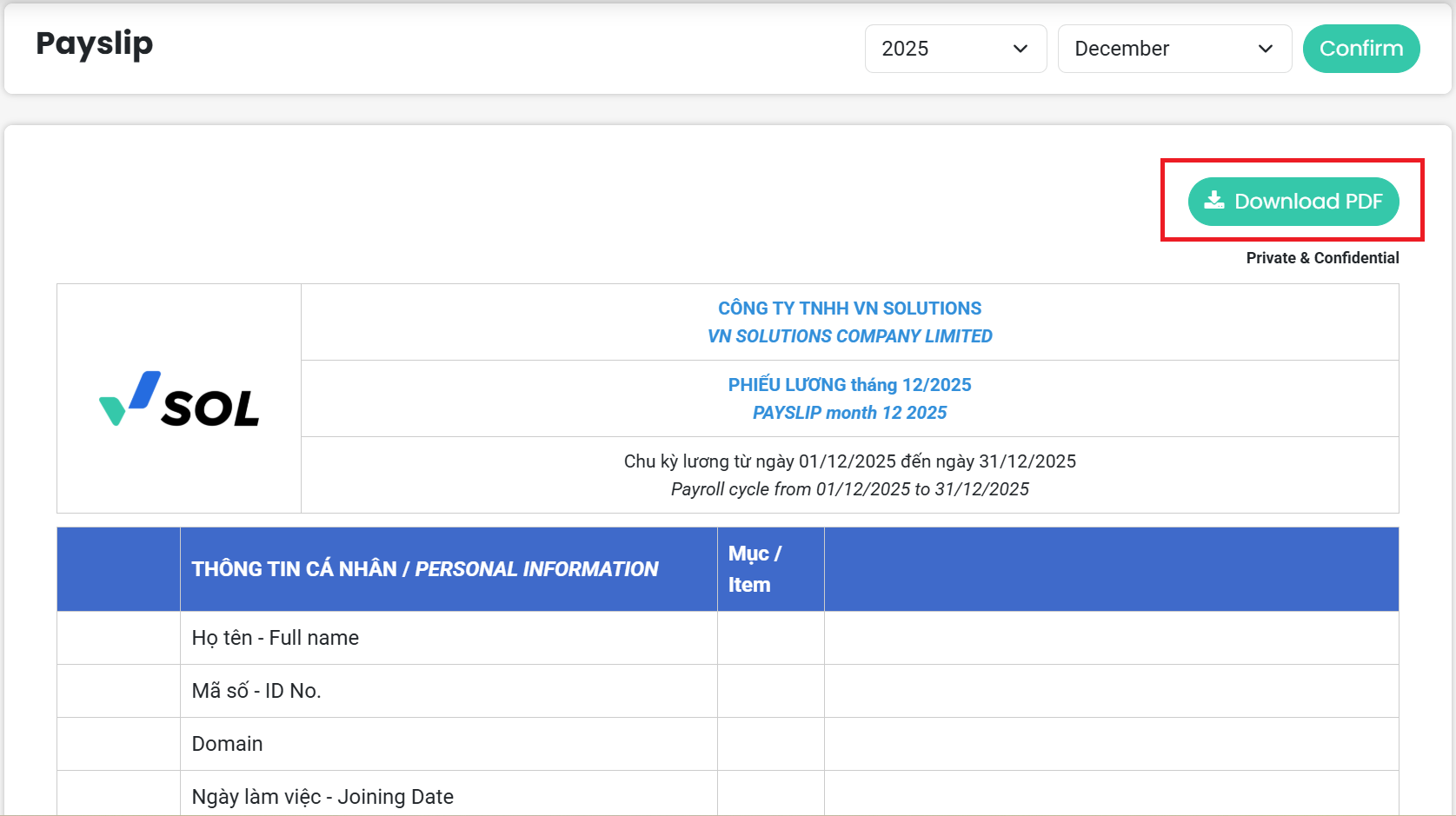
- Click "Download PDF" to download the payslip, and use your 12-digit ID card as the password to open the file.
Notes
- The portal contains payslips from the October 2025 payroll onward.