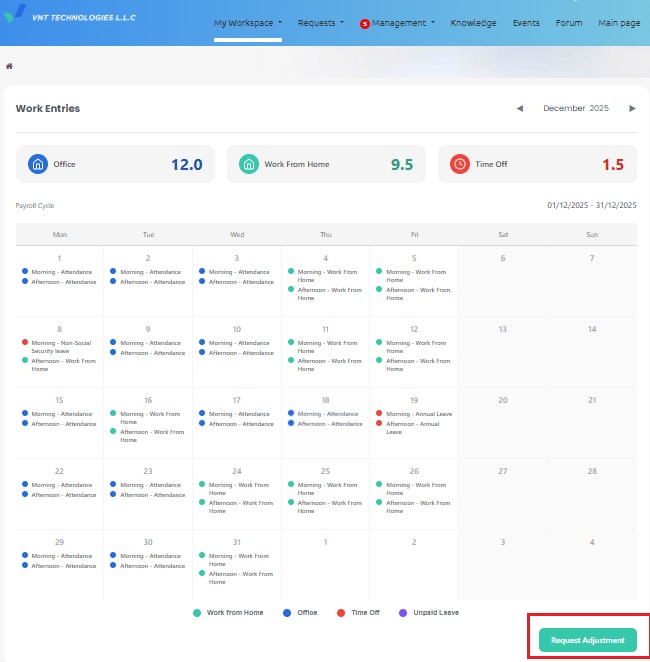
Work Entry portal view
📅
WORK ENTRY PORTAL VIEW
Implementation time
- From December 2025.
View Work Entry
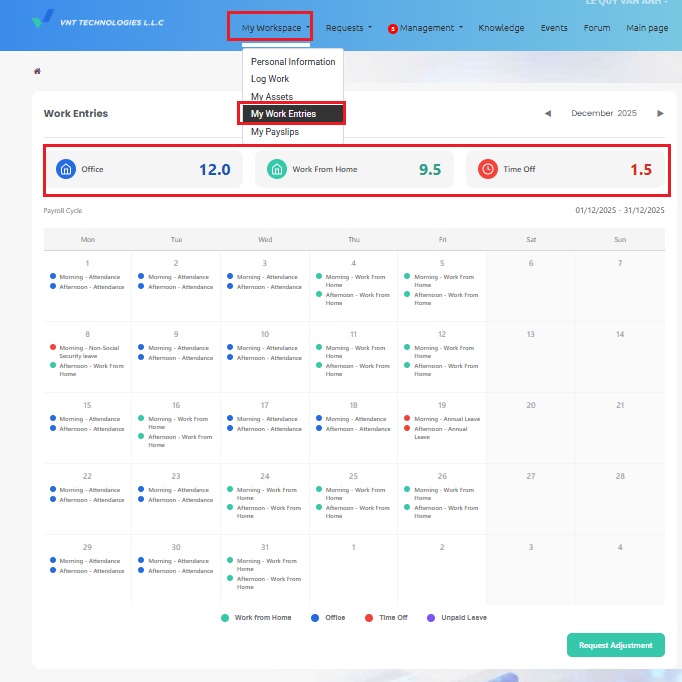
- Log in to Odoo using your personal account and navigate to My Workspace → My Work Entries.
- This screen provides an overview of office days, WFH, leave days, unpaid leave, and a detailed daily record for the month.
Submit Adjustment Requests (if any)
- If you notice any inaccurate information, you may submit a Request Adjustment at the bottom of the page for HR to make corrections.
- Note: Adjustment requests can only be submitted for the current month before the end of the month. Requests submitted after the timesheet has been finalized at 6:00 PM on the last day of the month will not be accepted.