Change bank account
🏧
CHANGE BANK ACCOUNT
Submit Request on Odoo
When having new account, please log in to Odoo and follow these steps:
- Navigate to Portal -> Request -> Helpdesk -> Create Ticket.
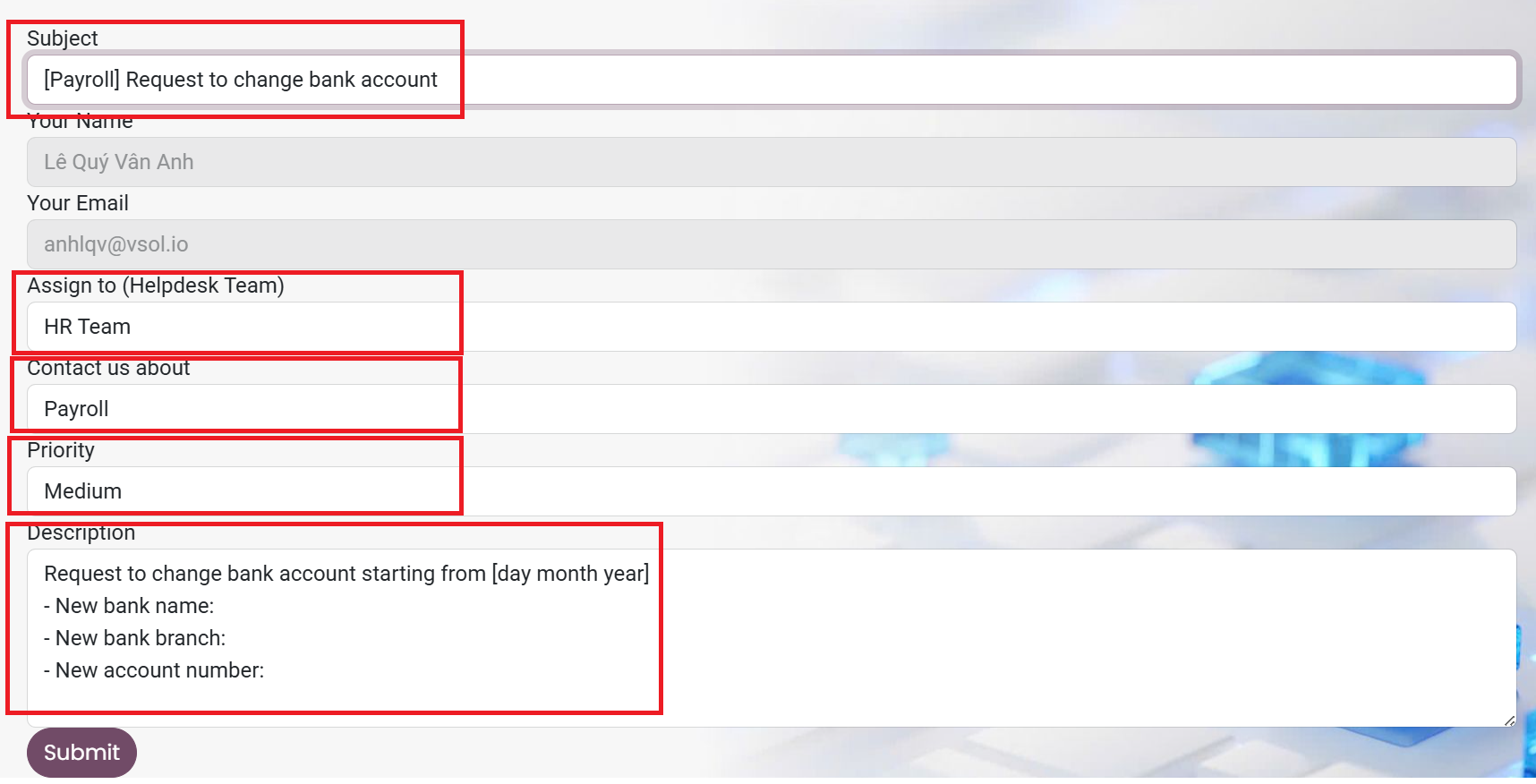
- Fill in the ticket details as follows:
- Subject: [Payroll] Request to change bank account
- Assign to: choose “HR Team”
- Contact us about: choose “Payroll”
- Priority: choose “Medium”
- Description: Request to change bank account starting from [day month year]
- New bank name:
- New bank branch:
- New account number:
HR confirms receipt of the information.
Once your ticket is received, HR will verify and update the new information to "Employee" portal in Odoo, then reply to you through the same ticket.